
About us
We’re an official Microsoft Minecraft Marketplace partner crafting community‑loved content for a decade.
Credibility, not hype
We make content for players: fun to pick up, rewarding to explore, and worth sharing.
Timeline
- Started building2016Early releases shaped by community feedback.
- Scaled production2025Stronger pipelines for quality and consistency.
- Shipping at scaleTodaySustainable releases with long-term support.
Data-driven editorial
Our editorial choices are guided by data. We built a framework of internal tools to track the Minecraft Marketplace, measure performance, and monitor category trends so we can focus our efforts on what players actually want. This approach helps us spot shifts early, refine our content mix, and ship experiences that resonate with the community.
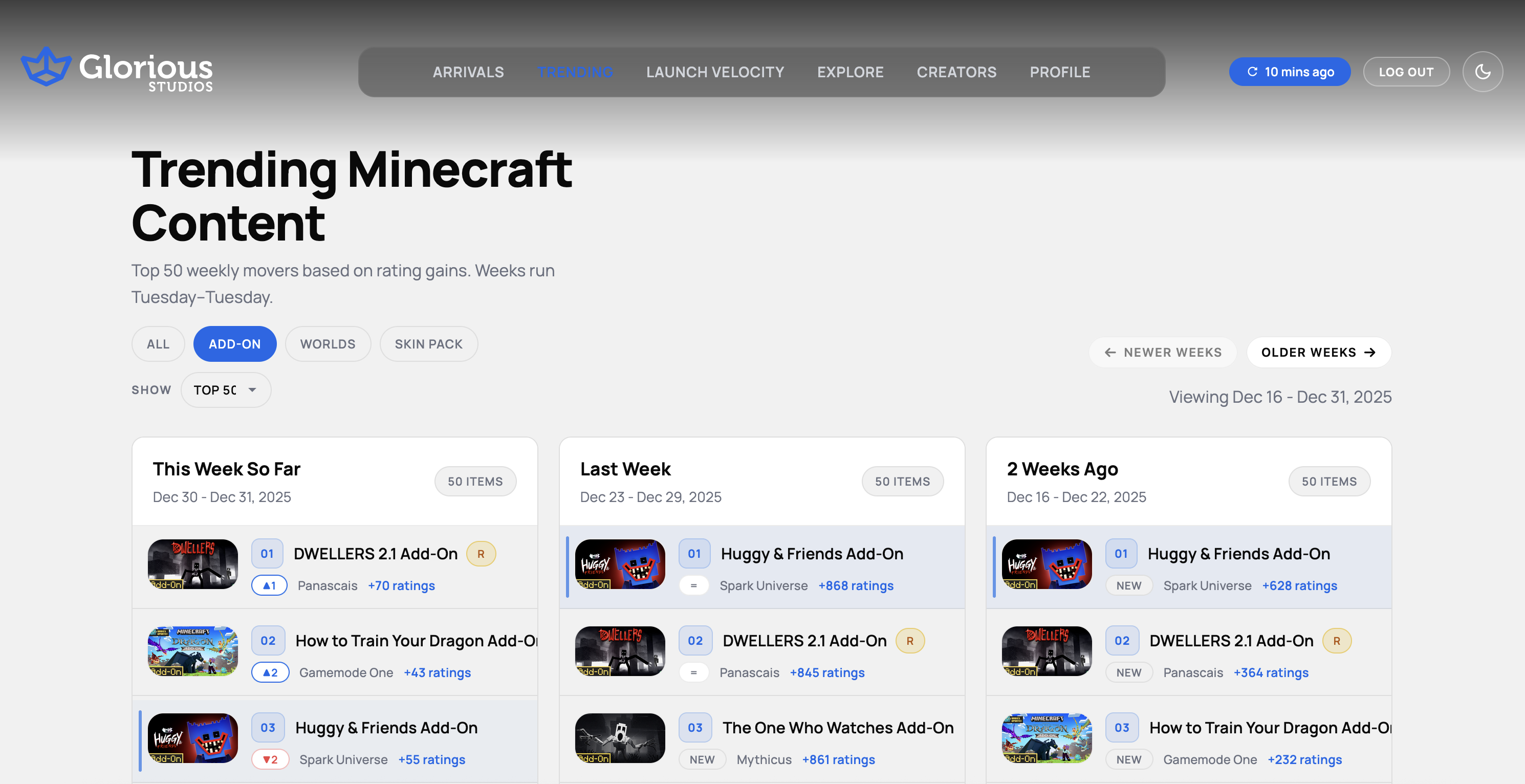
Trending Content Analysis
We track weekly top movers based on rating gains to identify what is resonating with players and inform our content strategy.
Frequently asked questions
Answers for players, creators, and brands working with our team. If it’s not covered here, reach us on Discord or X.
How do I buy your content on the Marketplace?

Open Minecraft Bedrock, go to the Marketplace, search 'Glorious Studios', and purchase with Minecoins. Purchases are tied to your Microsoft account and sync across Bedrock devices.
Where can I find my purchase in-game?
After purchase:
- Worlds appear in Create New > Templates
- Skin Packs in Dressing Room > Owned
- Persona items in Dressing Room > Edit Character > Character Creator > Owned
- Texture/Resource Packs under Settings > Global Resources
- Behavior/Resource packs inside a world's Add-Ons menu
If it doesn't show, restart the game and ensure you're signed into the same Microsoft account.
Can I use your packs on Realms or in Multiplayer?
Yes, most of our worlds and packs support Realms and Multiplayer. The world owner must apply the pack to the world. Some content may have device or memory constraints on older hardware.
I bought a pack but can't see it. What should I do?
Confirm you're signed into the same Microsoft account used to purchase, then restart Minecraft. On consoles, ensure your user profile is linked to that Microsoft account. If it still doesn't appear, try 'Restore Purchases' (if available) or contact Minecraft Support.